Axios
✒️ 2025-05-26 14:09 내용 수정
Node.js와 브라우저를 위한 Promise 기반의 HTTP 클라이언트
- 공식 사이트 한글 번역 : https://axios-http.com/kr/docs/intro
- Promise는 Promise 참고.
- 서버 사이드에서는 native node.js의 http 모듈을 사용하고, 클라이언트(브라우저)에서는 XMLHttpRequests를 사용한다.
Axios 설치
- VSC 터미널에 아래 명령어로 axios를 설치한다.
npm install axios
Axios 인스턴스와 요청 Config
- Axios 인스턴스 :
axios.create()로 생성한다.- 참고 자료 : Axios Axios 인스턴스
- axios 인스턴스의 메소드는
axios.request,axios.get,axios.delete,axios.head,axios.options,axios.post,axios.put,axios.patch,axios.getUri가 있다.
const instance = axios.create({
	baseURL : '요청주소',
	timeout : 1000,
	headers: {'Custom-Header': 'test'}
});
- Axios config : Axios의 인스턴스의 설정으로, 자주 사용했던 내용만 정리했다.
- 참고 자료 : Axios 요청 Config
{
	url : '/test',
	method : 'get', // 기본값은 get이며 post, put, delete를 쓸 수 있음
	baseURL : 'https://test-url.com/api', // 위의 url이 절대값이 아닌 경우 baseURL은 url 앞에 추가됨
	params: { // 요청과 함께 전송되는 파라미터
		id : 1
	},
	data : { // 요청의 body로 전송될 데이터로, put, post, patch, delete에서만 사용할 수 있다
		key : 'value'
	},
	timeout : 1000, // 요청이 시간 초과 되기 전 시간(ms),
	auth: { // HTTP basic 인증에서 사용되는 자격 증명
		username : 'tester',
		password: 'testerpassword'
	},
	responseType: 'json', // 서버에서 받는 데이터의 타입
	responseEncoding: 'utf8', // 응답 디코딩에 사용할 인코딩으로 Node.js 전용 옵션
	withCredentials: true // 클라이언트에서 서버로 cookie 전송 허용
}
axios.defaults
axios.defaults는axios라이브러리의 전역 설정으로, 이 설정을 변경하면axios로 생성된 요청과 브라우저 생성하는 요청에도 적용된다.- 참고 자료 : Axios Config Defaults
axios설정은defaults로 적용된 전역 설정 ->config로 적용된 설정 순으로 적용된다.- 전역 설정 변경 시
<img>태그에서 파일을 요청하는 것과 같은 브라우저 기본 요청에도 영향을 준다.
// 전역 설정 : 기본 url
axios.defaults.baseURL = 'https://api.example.com';
// 전역 설정 : header 설정
axios.defaults.headers.common['Authorization'] = AUTH_TOKEN;
// 전역 설정 : header 설정
axios.defaults.headers.post['Content-Type'] = 'application/x-www-form-urlencoded';
// 전역 설정 : cookie 포함
axios.defaults.withCredentials = true;
Axios 사용
- get 요청 수행하기
- 예시는 공식 사이트에 있는 예시를 작성했다.
- 참고 자료 : Axios 기본 예제
- url에 parameter까지 모두 전달하는 형태
const axios = require('axios');

axios.get('/test?param=value')
.then(function (res) {
	// 요청 성공 시 수행할 동작
})
.catch(function (res) {
	// 에러 발생 시 수행할 동작
})
.finally(function(res) {
	// 항상 실행되는 동작
})
- parameter를 객체로 전달하는 형태
const axios = require('axios');

axios.get('url', {
	params : {id : 1}
})
.then(function (res) {
	// 요청 성공 시 수행할 동작
})
.catch(function (res) {
	// 에러 발생 시 수행할 동작
})
.finally(function(res) {
	// 항상 실행되는 동작
})
- 비동기 함수 형태로 사용할 때
async function getData() {
	try {
		const res = await axios.get('/test?param=value');
		console.log(res);
	} catch (err) {
		console.log(err);
	}
}

getDate();
- post 요청 수행하기
axios.post('/test', {
	key1 : 'value1',
	key2 : 'value2'
})
.then(function (res) {
	// 요청 성공 시 수행할 동작
})
.catch(function (res) {
	// 에러 발생 시 수행할 동작
})
.finally(function(res) {
	// 항상 실행되는 동작
})
fetch와 axios 비교
- fetch를 사용할 때
 // test.js
 async function getProduct() {
     const res = await fetch('https://learn.codeit.kr/api/codeitmall/products/');
     const products = await res.json(); // 요청 결과를 json으로 변환
     console.log(products);
     return products;
 }
getProduct();
- axios를 사용할 때 위와 비교하면 형식이 조금씩 다르다.
// test.js
const { default: axios } = require("axios");

async function getProduct() {
    const res = await axios.get('https://learn.codeit.kr/api/codeitmall/products/');
    const products = res.data; // 요청 결과의 data에 저장된 내용을 가지고 옴
    console.log(products);
    return products;
}
getProduct();
Axios로 서버에 get 요청하기
- 실습은 Next.js로 진행했다.
- Next 참고
- axios를 미리 js 파일로 baseURL을 설정해서 만들고, 이를 import하여 사용할 수 있다.
// /pages/index.js
import SearchForm from '@/component/SearchForm';
import styles from '@/styles/Home.module.css';
import Link from 'next/link';

export default function Home() {
  return (
    <>
      <h1 className={styles.flower}>Mall</h1>
      <SearchForm/>
      <ul>
	    {/* 링크를 누르면 URL의 query를 [id].js에 보내고, 해당 id를 서버에 검색한다 */}
        <li><Link href='/product/1'>페이지1</Link></li>
        <li><Link href='/product/2'>페이지2</Link></li>
        <li><Link href='/product/3'>페이지3</Link></li>
      </ul>
    </>
  );
}
// @/lib/axios.js
import axios from 'axios';

const instance = axios.create({
    baseURL : 'https://learn.codeit.kr/api/codeitmall/'
});

export default instance;
// /pages/product/[id].js
import { useRouter } from "next/router";
import axios from '@/lib/axios';
import { useEffect, useState } from "react";

export default function Product() {

  const [product, setProduct] = useState(''); // product는 요청마다 변경됨
  const router = useRouter(); // router 객체
  const {id} = router.query; // router 객체의 query 가져오기

  async function getProduct(targetId) {
    const res = await axios.get(`/products/${targetId}`); // axios로 서버에 데이터 가져오기
    const products = res.data;
    setProduct(products);
  }

  useEffect(()=>{ // id가 바뀔때마다 product를 가져오도록 설정
    if (!id) return; // id가 없으면 서버에서 데이터를 가져오지 않음
    getProduct(id);
  }, [id]);

  // product가 비어있으면 출력하지 않도록 설정
  if(!product) return null;

  return (
    <>
      <h1>{product.name}</h1>
      <img src={product.imgUrl} alt={product.name}></img>
    </>
  );
}
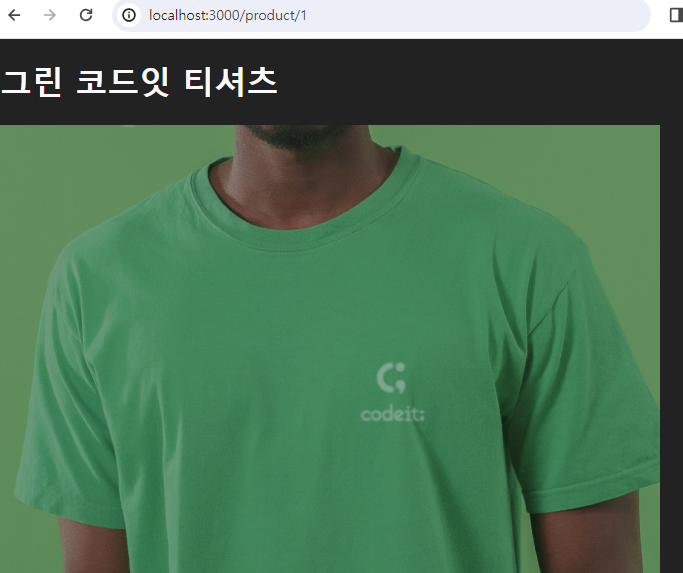
- 메인 페이지에서 링크를 누르면 파라미터로 전달된 id 값을 이용해 axios로 서버에 요청을 보내고, 그 결과로 얻은 데이터를 페이지에 띄울 수 있다.
- 예제는 codeit의 서버로부터 데이터를 가져왔다.